
What's new: Notification Relay, reworked AI Insights, and a rebuilt view hierarchy

This release spans the Bugsee backend, the dashboard and the mobile SDKs. Here is what changes for you.
Notification Relay (Beta)
Notification Relay is in Beta, and ships today in the Bugsee Android SDK — iOS support is coming shortly. It is live and ready to use, and we want it in real apps, but the API and its dashboard configuration may still change before it is final, so expect the occasional adjustment while it settles. Tell us how it works out for you.
Not everything worth knowing about is a bug. A failed payment, an order that needs review, a job that finished late — you want it in Slack or Teams, but you do not want a crash report, a session video, or a ticket in your tracker.
Notification Relay gives you that path. Your app calls Bugsee.notify() with a title, and optionally a body, a severity and a few key/value fields. Bugsee forwards it to the integrations and webhooks you choose, and creates no issue.
On the device the notification is written to disk before it is sent, so an app that is offline queues it and delivers it once connectivity returns rather than dropping it. Calls are batched, with an urgent variant that goes out immediately.
In the dashboard each application gets a Notification Relay section: a master switch, the integrations and webhooks to relay to, and optional filters. Every filter must match, comparisons ignore case, and a filter can key off a field you sent yourself. With no filters, everything is relayed.
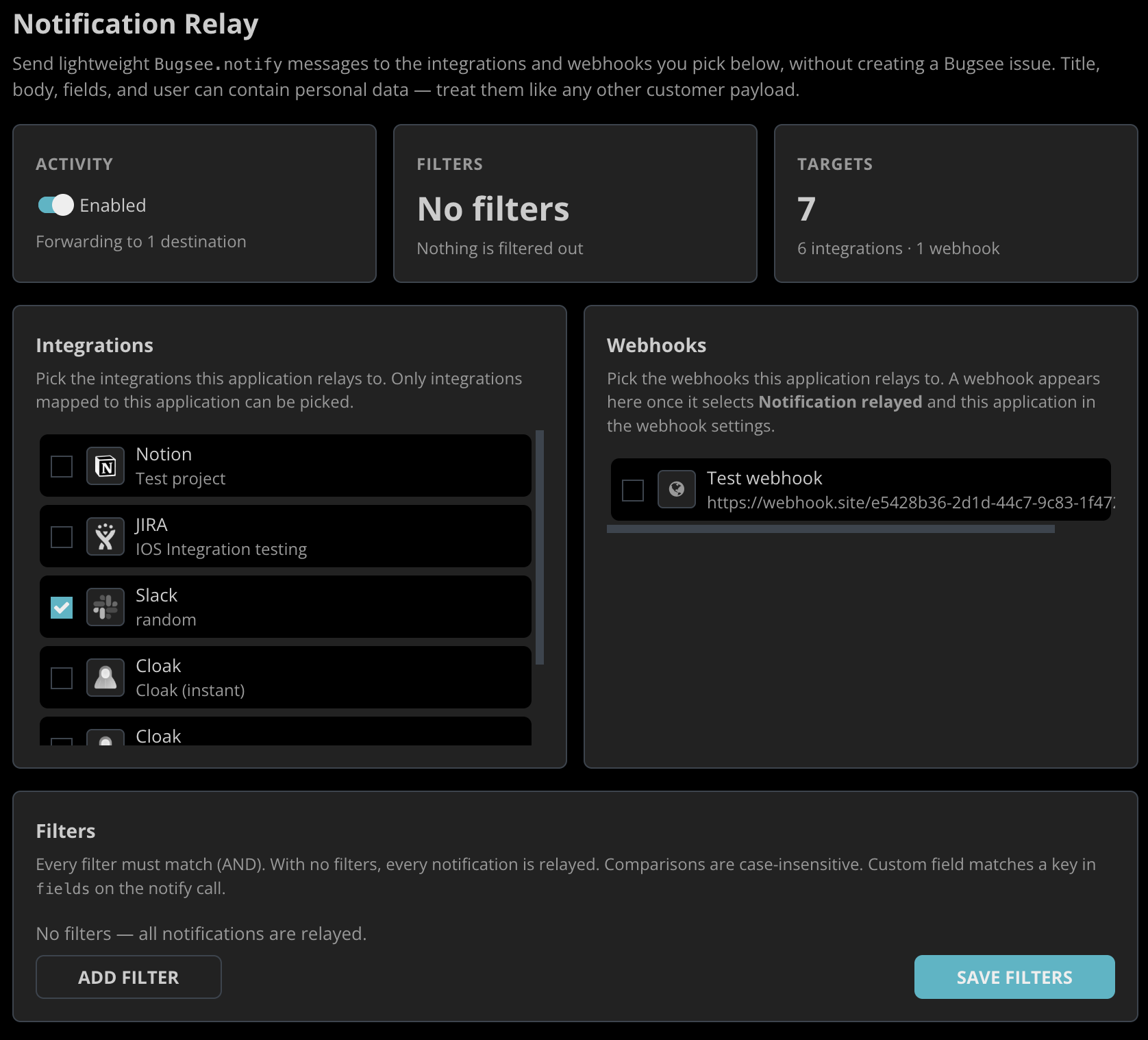
One thing to keep in mind: the title, body, fields and user you pass can contain personal data, so treat them the way you treat any other customer payload.
AI Insights, reworked
Insights has been rebuilt around a simple idea: an analysis is only as good as what it can see.
- It reads the code that crashed. With a source repository connected, Insights pulls the code around the crashing frames instead of reasoning from the stack alone. Builds that upload a commit SHA pin the exact revision; otherwise Insights looks for a git tag matching the app version.
- It runs asynchronously. Analysis no longer blocks on a request. The dashboard shows progress, tells you when a run is taking longer than usual, and lets you ask to be notified when it finishes or retry a failed run.
- It shows its work. Every analysis reports a confidence level and the sources it actually used, so you can judge the conclusion rather than take it on faith.
- It can tell when the SDK is at fault. Frames inside Bugsee are symbolicated and classified, and an analysis says plainly when our SDK is implicated rather than your code.
- It understands platform code. Android platform frames are resolved against AOSP source, so a crash that ends inside the framework is explained rather than truncated.
View hierarchy, reworked
The view hierarchy viewer used to show one window: the activity's own. Real screens have more on them, and bugs frequently live in the interaction between them.
The captured hierarchy now covers every window on the display — dialogs, popups, spinner and autocomplete dropdowns, toasts, the keyboard, system overlays — each ordered correctly against the others. It also describes the display itself: size, orientation, rotation, safe-area insets, cutouts and corner radii.
In the 3D view the device is drawn from a per-model table for iPhone and iPad, with the real cutout shape rather than a generic notch, and a scene menu to show or hide the device frame and cutouts.
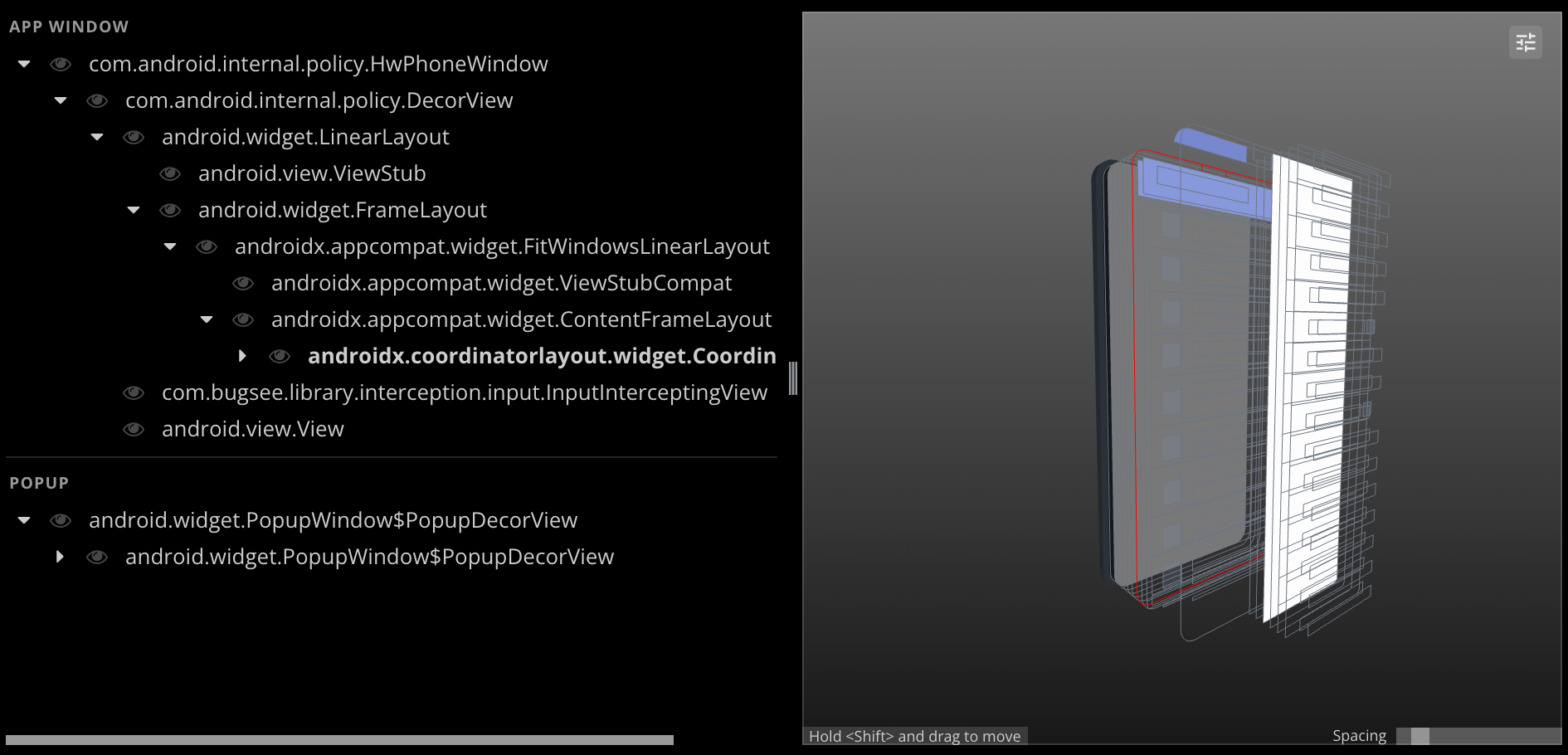
The tree is also more honest about its own limits. Nodes are marked where the capture was cut short, where a view paints content the hierarchy cannot describe — an image or a video surface — and where the app has hidden a node from screen readers. Any subtree can be shown or hidden while you work.
Integrations, rebuilt
Integrations now run on dedicated, isolated infrastructure with built-in redundancy and capacity of their own.
What that means in practice: a slow or failing third party stays contained and cannot hold up anything else you do in Bugsee, delivery is retried rather than lost, and pushes are idempotent — a retry cannot produce a duplicate ticket. Integrations are faster, too.
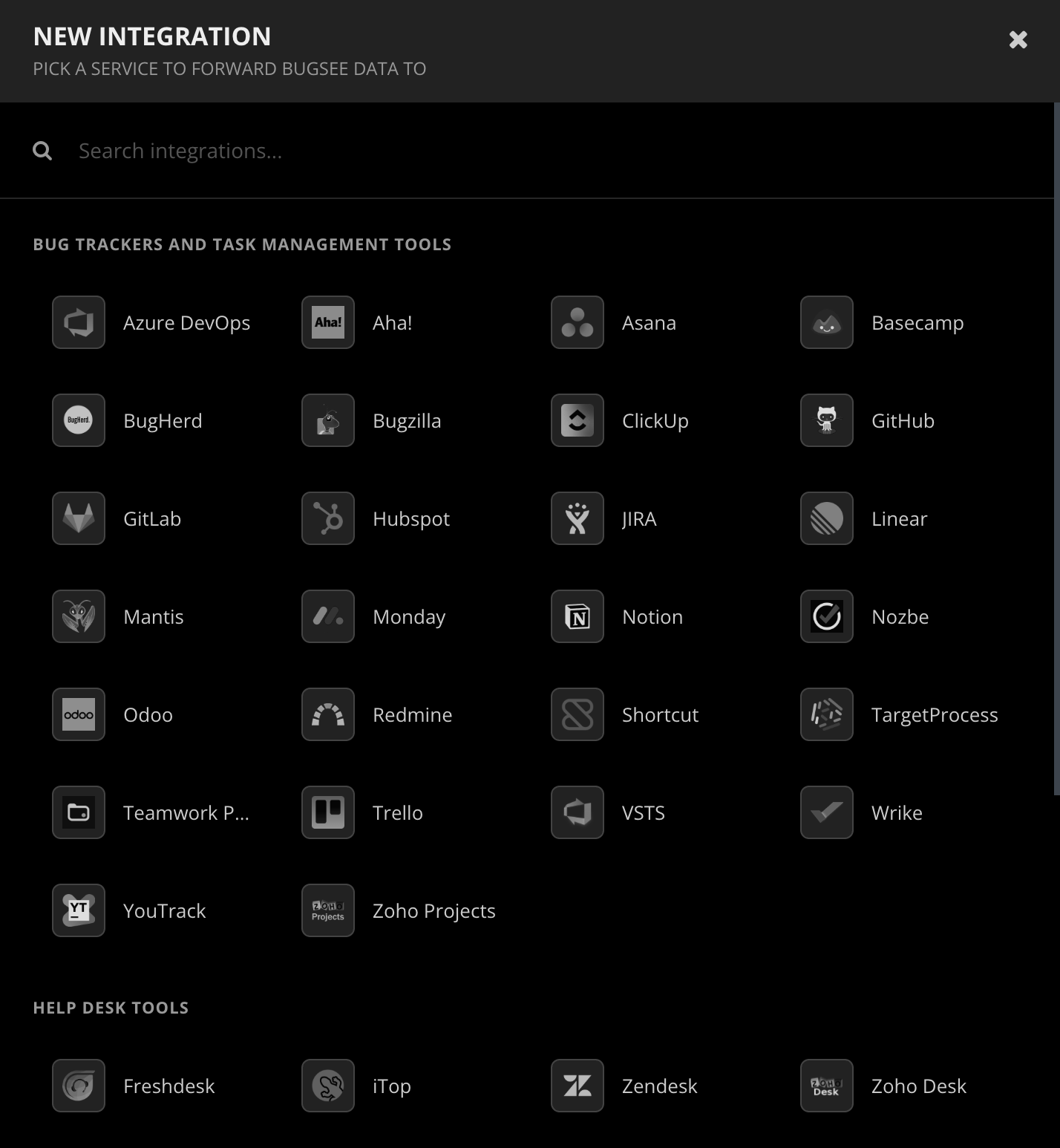
Every provider was reviewed, synchronised against its current API, tested end to end and updated. A few consequences are worth knowing about:
- You can now pick the Jira issue type new reports are filed as, or leave it on auto-detect. If a type you chose disappears from the project, Bugsee falls back and tells you.
- Bitbucket Issues is retired — Atlassian removed native Issues from Bitbucket Cloud on 20 August 2026, along with the API that created them. Signing in with Bitbucket, and commit, branch and pull request links, all continue to work.
- Pivotal Tracker is retired — Broadcom decommissioned the service on 30 April 2025.
- Zendesk now connects over OAuth only; email and password access to its Support API ended on 12 January 2026.
The recipe editor, reworked
Custom recipes let you decide exactly what Bugsee sends to an integration — the title, the fields, how it is all formatted. The editor around them has been reworked, and it is now fully functional.
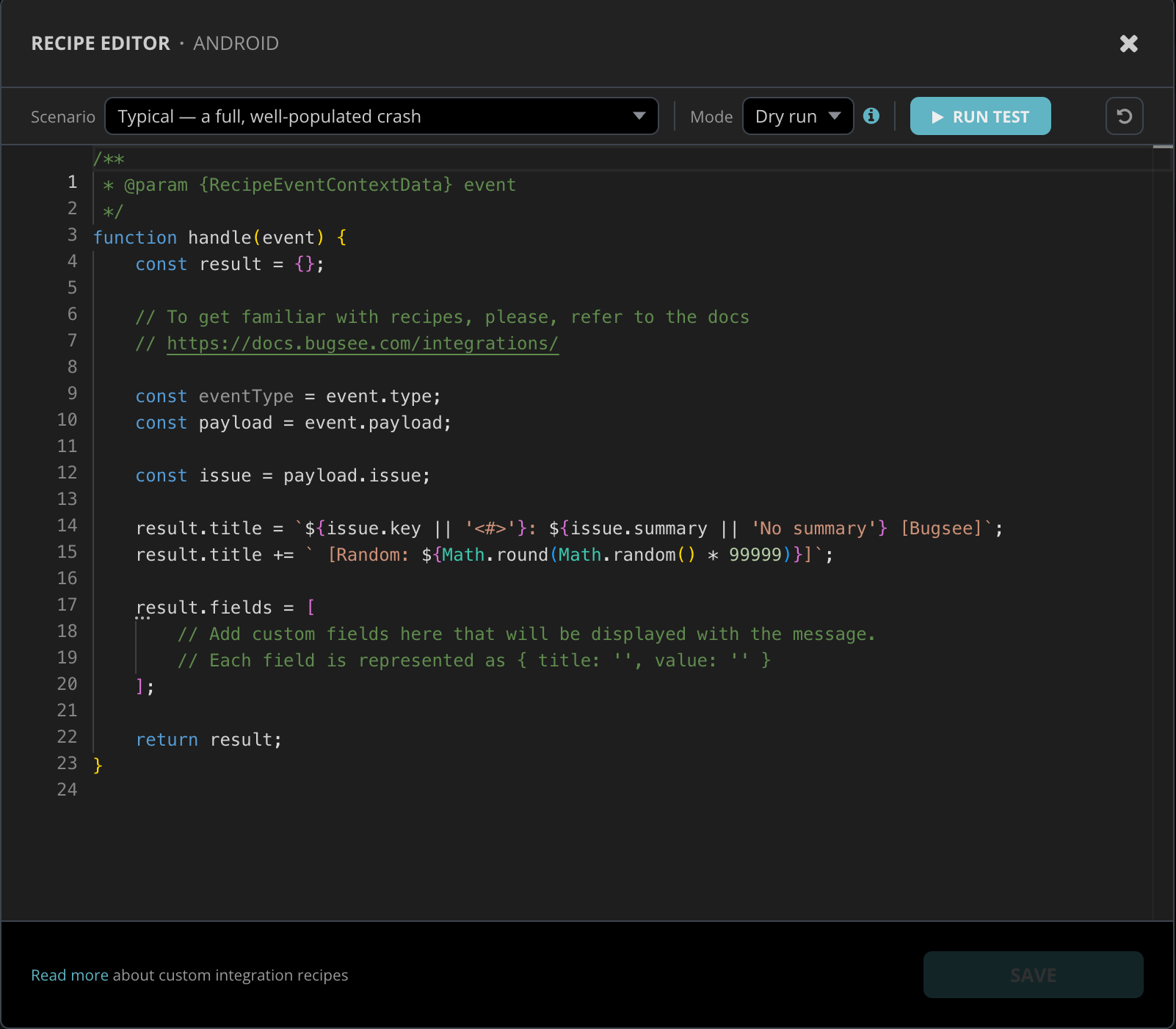
Pick a scenario to run against — a typical, well-populated crash, or one of the sparser shapes that tend to break assumptions — and run your recipe in either of two modes:
- Dry run executes the recipe and shows you exactly what would be sent, without touching the integration.
- Live runs it against the real integration, so you can see the ticket land the way you expect before you save.
When a recipe throws, the error names the line and column it came from, so you are debugging your code rather than reading a stack trace from inside the runner.
Connect your source repository
Bugsee can now connect directly to your source repository, which is what lets Insights read the code behind a crash.
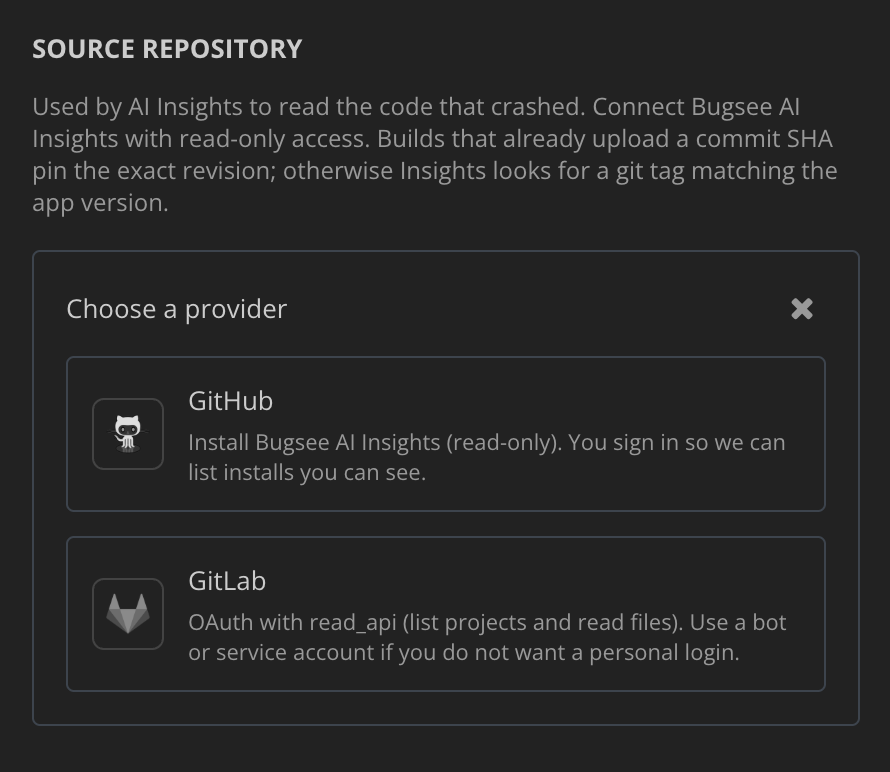
GitHub connects through the Bugsee AI Insights GitHub App, with Contents: Read and Metadata: Read. Your GitHub user token is not kept after setup — Insights uses a short-lived installation token from then on. GitLab connects over OAuth with read-only scope. For GitHub Enterprise or self-hosted GitLab, an access token works instead.
Access is read-only in every case, a bot or service account works if you would rather not connect a personal login, and you can disconnect at any time. More providers are coming.
Application settings, redesigned
Application settings have been reorganised around explicit saving: changes are staged, the page tells you how many are unsaved, and nothing is written until you say so. A new information plate puts the application's identity and key details in one place instead of spread across the page.
MCP updates
The Bugsee MCP server — which lets an AI assistant read your crashes and sessions — gained a proper OAuth consent screen. It shows the redirect URI the client asked for and warns when a client is unverified, so you can see what you are authorising. Dynamic client registration and client metadata handling were corrected, and issues returned through MCP now carry their labels, capture mechanism and attributes.
The dashboard speaks ten languages
The Bugsee dashboard is now fully available in ten languages: English plus Russian, German, Spanish, Chinese, Polish, French, Italian, Japanese and Korean. Every screen, every message, every error — complete, not partial.
Getting it
The backend and dashboard changes are live for everyone; there is nothing to upgrade. Bugsee.notify() and the expanded view hierarchy need the latest Bugsee Android SDK — see the Android release notes for what landed there. The iOS SDK follows shortly.
As always, tell us what is missing. Several of these shipped because of what people told us they could not see.