
Is Bugsee any good? (the 2026 update)

Originally posted March 2018. Updated September 2026.
I wrote this one to answer the question people were actually asking, not the question our own marketing copy answered. Eight years later it’s still the right question.
The old version is still live here if you want to see what we were pitching back then. Most of what I wrote in it was true. It just described a much smaller product. Here’s where things actually stand now.
The original idea, and what it looks like now
The core idea in 2018 was simple: instead of asking a user to describe a bug, or hoping a stack trace tells you enough, you get the actual session. Continuous, high-resolution video of what the user did, the console logs and network calls happening alongside it, all lined up on one timeline, plus a window into what was happening around the app when things went wrong: connectivity, background state, system events, whatever else was in play.
That’s still the whole point. If a bug is really a backend problem wearing a client-side costume, this is how you find out without guessing. If it’s a race condition that only shows up on one device in a thousand, you don’t need to reproduce it, you just watch it happen.
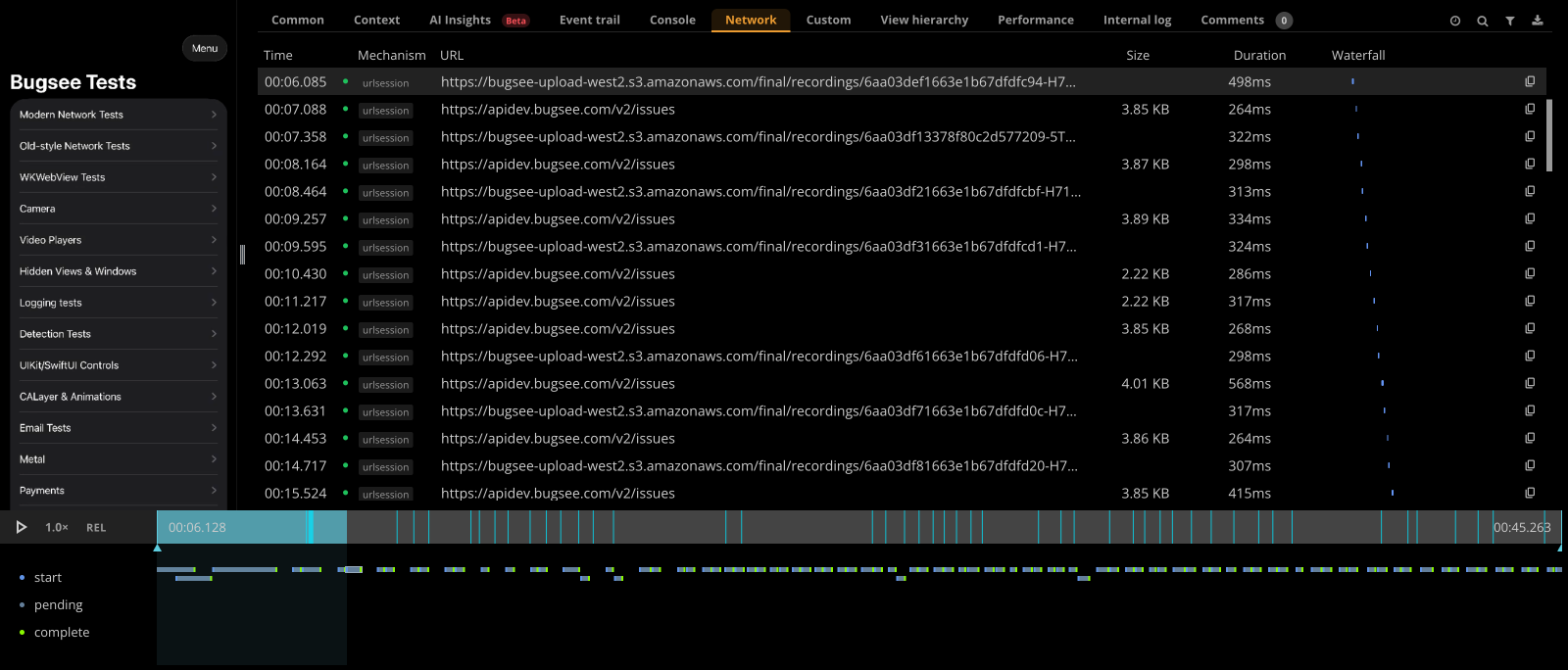
What’s changed is how much work it takes to get that. Adaptive capture on iOS now drops the frame rate when the screen’s idle and ramps back up the instant something’s happening, up to 4x more efficient on static screens, so you’re not paying full cost when nothing’s moving. The Android SDK 7.0 rewrite is leaner than what came before it too. Crash symbolication is still automatic, and it still does the one thing that matters: turns a crash into something you can actually work with instead of a stack trace you have to decode by hand.
If you want the detailed feature-by-feature version of this against specific competitors, Dmitry wrote that up separately for Sentry, Instabug, and Crashlytics. This post isn’t that post.
What Bugsee knows now that it didn’t in 2018
AI Insights. This is genuinely new, not a feature I could have described in 2018 because it didn’t exist as a category yet. Crashes now come with a read on the likely root cause, without needing access to your source code, that’s the baseline and it works out of the box. Where it gets more interesting is if you’re working through an AI coding agent with your repo checked out: the agent can pull the full issue context from Bugsee and reason against your actual code, because at that point it has the code in front of it. I want to be careful not to conflate those two things, they’re related but not the same feature.
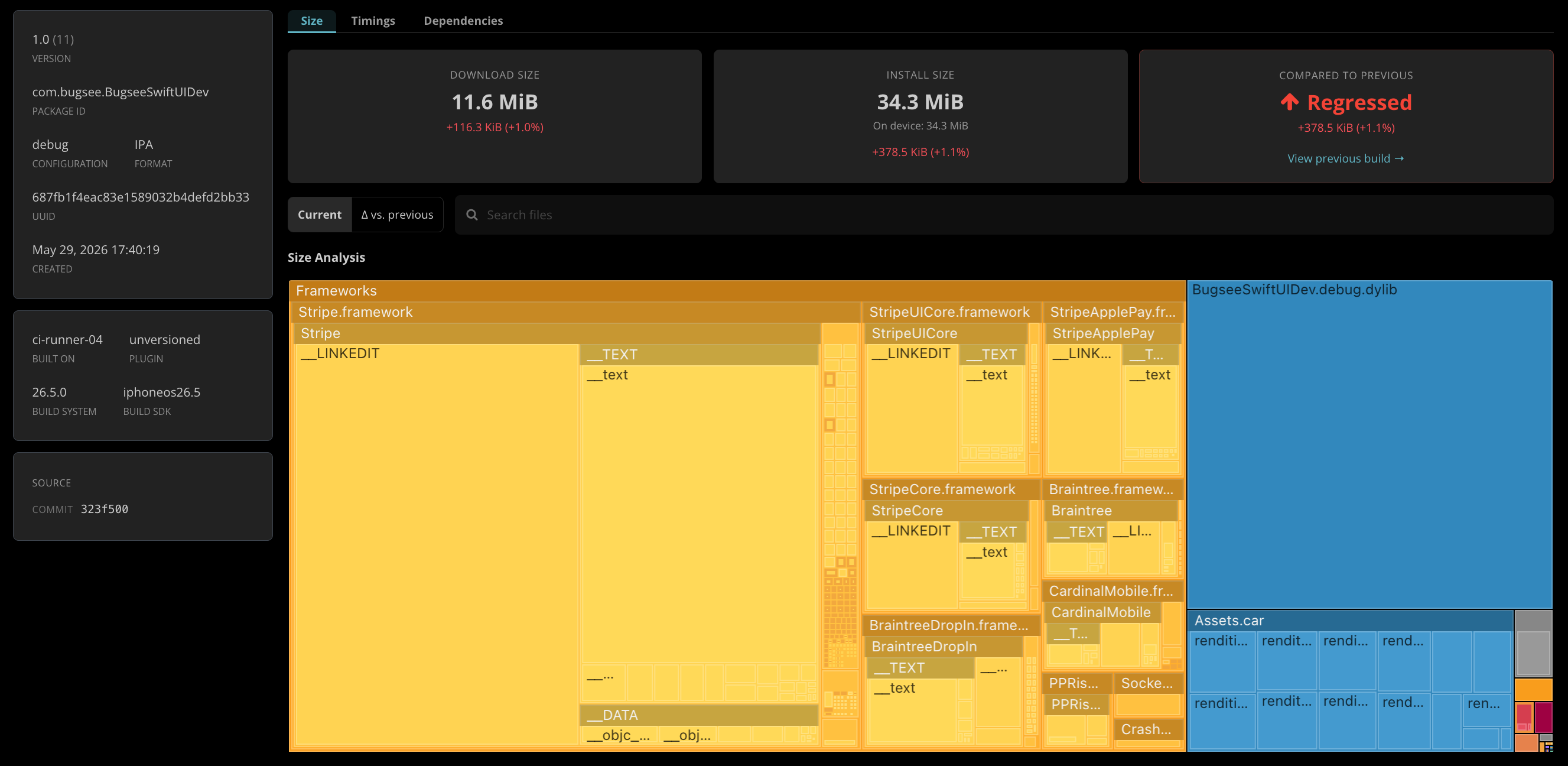
Builds. Bugsee started as a tool that told you what happened to your app after you shipped it. Now it also tells you something about what you’re about to ship. Build size, tracked as a first-class metric with diffs between releases. Build timing regressions, so you know when a build got slower and where the time went. A real dependency graph, not just what you declared but what you actually ship, transitive dependencies included. And vulnerability scanning against the OSV and GitHub Advisory databases on every release, with re-scans that catch a new CVE against a build you shipped months ago. None of this existed when I wrote the original post.
AI agents. This one went further than I expected. There’s a Bugsee MCP server, and one-step plugins for Claude Code, Cursor, and Codex that bundle it with Bugsee’s own agent skills. Once connected, an agent can pull your crashes and issues, including the stack trace, logs, and other context, look at your build and vulnerability data, and even set up the Bugsee SDK in a project or upload dSYMs and source maps on its own. I did not expect “install the crash reporter” to become a task you hand to an agent, but that’s where we are.
Notification Relay. Smaller, still in beta, Android first with iOS coming, but useful: your app can fire off a notification, title, severity, custom fields, to whatever messaging integrations or webhooks you’ve set up as Relay destinations, without it turning into a tracked issue. Nothing goes anywhere until you turn Relay on and pick where it should go.
Platforms
iOS, Android, React Native, Flutter, .NET, Unity, Cordova, and Kotlin Multiplatform now too, which matters if your team shares real Kotlin code across iOS and Android and doesn’t want two separate mental models of the same crash. Android itself covers phones, tablets, Wear OS, Android TV, and automotive from one SDK, a direct result of the 7.0 rewrite being ground-up rather than a patch on the old one.

Integrations
There were 24 when I wrote the original post. There are a lot more now: bug trackers and project management tools, team chat, help desks, and direct data forwarding into Datadog or Splunk. Full list is on the integrations page.
What hasn’t changed
Password and credit card fields still get blacked out on the device before anything even hits the recording buffer, not after upload. You can mark other views sensitive too.
The bigger thing that hasn’t changed: the product got a lot bigger, the company didn’t. It’s still a small team, and I still read the support inbox.
Current pricing is on the pricing page since it’s the kind of thing that changes more often than a blog post should. If you’ve made it this far and you’re still not sure, that’s fine. Try it. Or email me and ask me something specific, fishman@bugsee.com, or call, +1-408-508-4110. I still answer these myself. Same offer as 2018.
— Alex