
Can Bugsee do this? Really? (the 2026 update)

Originally posted December 2017. Updated September 2026.
I wrote the post below almost nine years ago. Bugsee was young, most people had only heard the one-line pitch, and I kept running into the same ten questions over and over, so I just answered all of them in one place.
The one-line pitch hasn’t changed: video, network, logs, and crashes from real user sessions, without asking anyone to reproduce anything. Most of what I wrote below back then was true. It just described a much smaller product. New SDKs, new platforms, AI in the product now, and honestly, some of what we’ve shipped is still not as discoverable as it should be. So here’s the same post, same format, same “just ask me directly” spirit, updated for where things actually stand.
If you want the original, it’s still up here as a snapshot of where we were in 2017.
1. Do you actually protect user privacy in what you record?
Same principle as 2017: password and credit card fields get blacked out on the device before anything even hits the recording buffer, not after upload. You can mark any other view sensitive too if it holds something you don’t want in a session. Everything is encrypted in transit and at rest. See our extensive privacy tools.
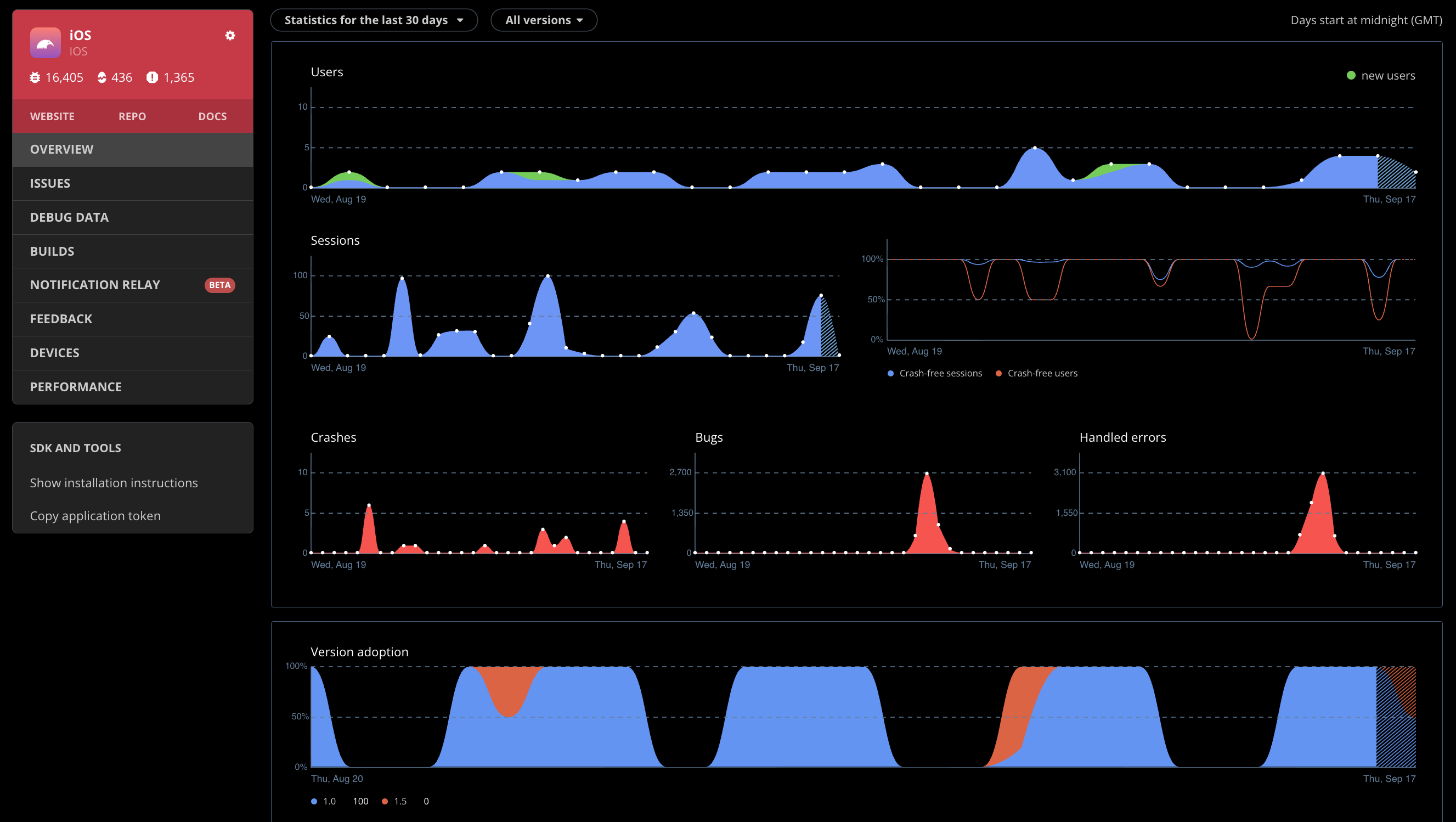
2. Can I see crash stats and version adoption over time?
Still one of the first things people open. The Overview tab shows crash trends, version adoption, and stability by release, so you can tell at a glance whether the last build made things better or worse.
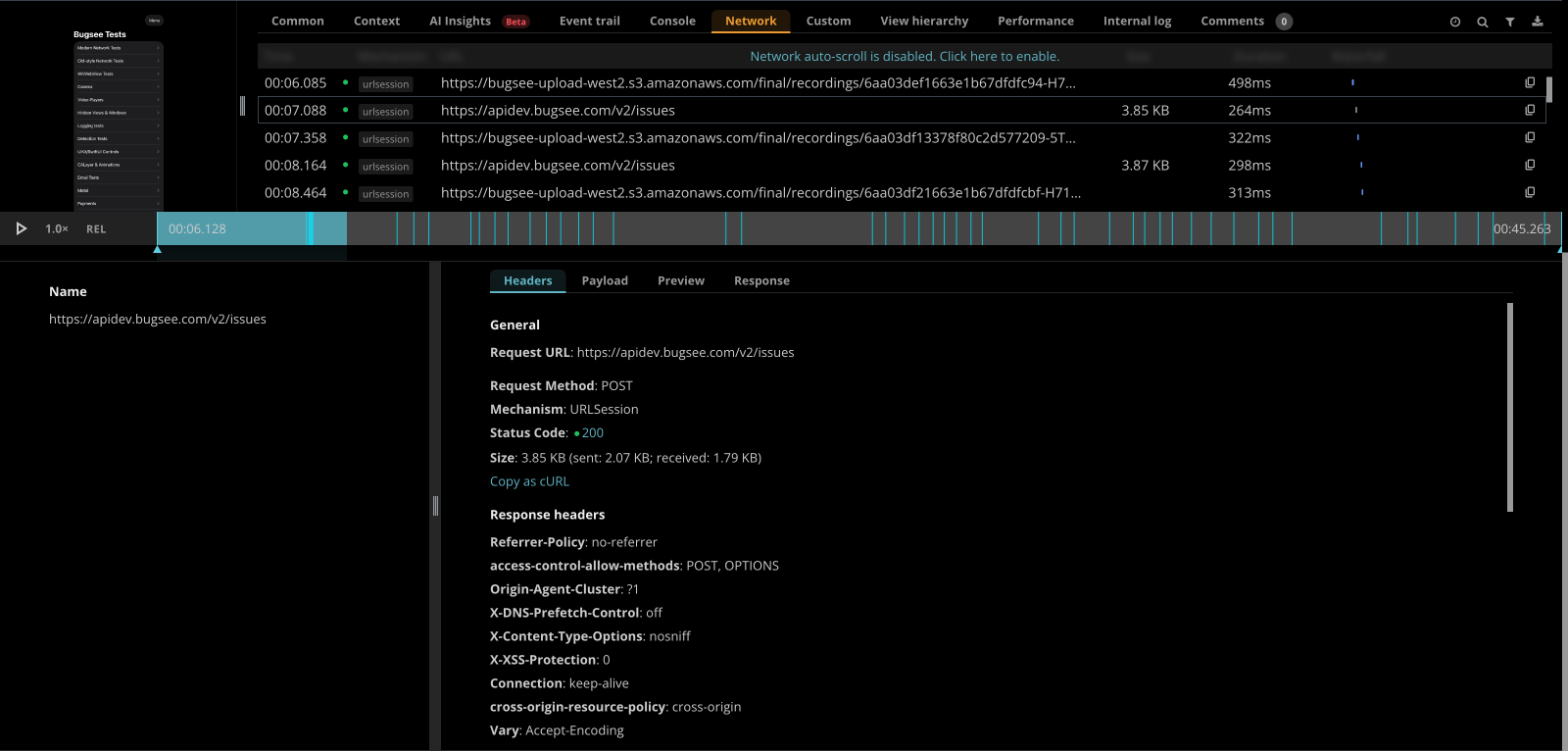
3. What do you actually capture on the network side?
Requests and responses, including headers, timing, and captured bodies, all synced to the same timeline as the video and the logs.
4. Do I need a crash to get a report?
No. There’s still a dedicated API for uploading a recording on demand, so you can capture the last stretch of a session without a crash or a user tapping anything. Useful for anything you want visibility into that isn’t a hard failure.
5. Does it talk to my bug tracker?
Yes. There were 24 when I wrote this in 2017. There are a lot more now: bug trackers and project management tools (Jira, GitHub, GitLab, Linear, Asana, ClickUp, monday.com, Notion, Trello, and more), team chat (Slack, Microsoft Teams), help desks (Zendesk, Freshdesk), and data forwarding straight into Datadog or Splunk if that’s where your team already lives. Full list is on the integrations page.
6. Can users message us directly from inside the app?
Yes, in-app chat and feedback, and it automatically attaches a recording so you’re not asking someone to describe what they saw.
7. Can I attach my own data to a report?
Yes. Custom traces, events, attributes, attachments, all through the API, same as before.
8. Can I search by build, device, or reporter?
Yes, same as always. If you’d rather skip building a filter, jump to question 11, we added a faster way to do this since then too.
9. Can I manage issues in bulk?
Yes, multi-select to close, merge, or delete.
10. What platforms do you actually support now?
iOS, Android, React Native, Flutter, .NET, Unity, Cordova, and now Kotlin Multiplatform, for teams sharing real code across iOS and Android instead of maintaining two separate mental models of the same crash. Android SDK 7.0 was a ground-up rewrite, not a patch, and it expanded what “Android” means for us: phones, tablets, Wear OS, Android TV, and automotive, all from one artifact.

The questions people didn’t ask in 2017 because the answer didn’t exist yet
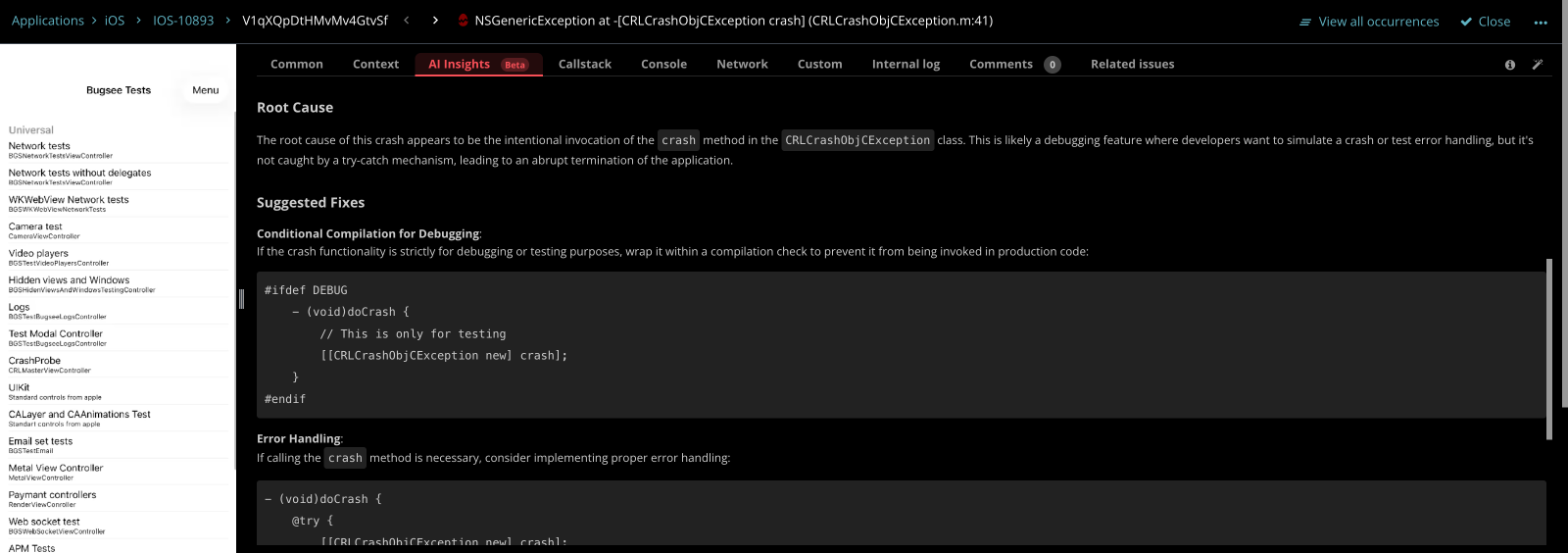
11. Does Bugsee use AI now?
Yes, in two different ways, and I want to be precise about which is which. AI Insights, built into the dashboard, looks at crashes and points you to the likely cause, without needing access to your source code. That’s the baseline. It works out of the box. Separately, if you’re working through an AI coding agent with your repo checked out, that agent can pull the full issue context from Bugsee and reason against your actual code, because it has the code, not because Bugsee does. You can also search issues in plain English now instead of building a filter query, “crashes in the checkout flow on iOS 17” just works.
12. Can an AI coding agent use Bugsee directly?
Yes, and this went further than I expected it would. There’s a Bugsee MCP server, plus one-step plugins for Claude Code, Cursor, and Codex that bundle it with Bugsee’s own agent skills. Once it’s connected, the agent can pull your crashes and issues, including the stack trace, logs, and other context, look at build size, dependency, and vulnerability data, and even set up the Bugsee SDK in your project or upload your dSYMs and source maps for you. I did not expect “install the crash reporter” to become a task you hand to an agent, but here we are.
13. Does recording all this slow my app down?
No, it does not. The iOS SDK now has adaptive screen capture, it drops to about 1 frame per second when the UI is idle and ramps back up the moment something’s actually happening, up to 4x more efficient on static screens. The Android SDK 7.0 rewrite is leaner than its predecessor too, lower CPU and memory overhead despite doing more.
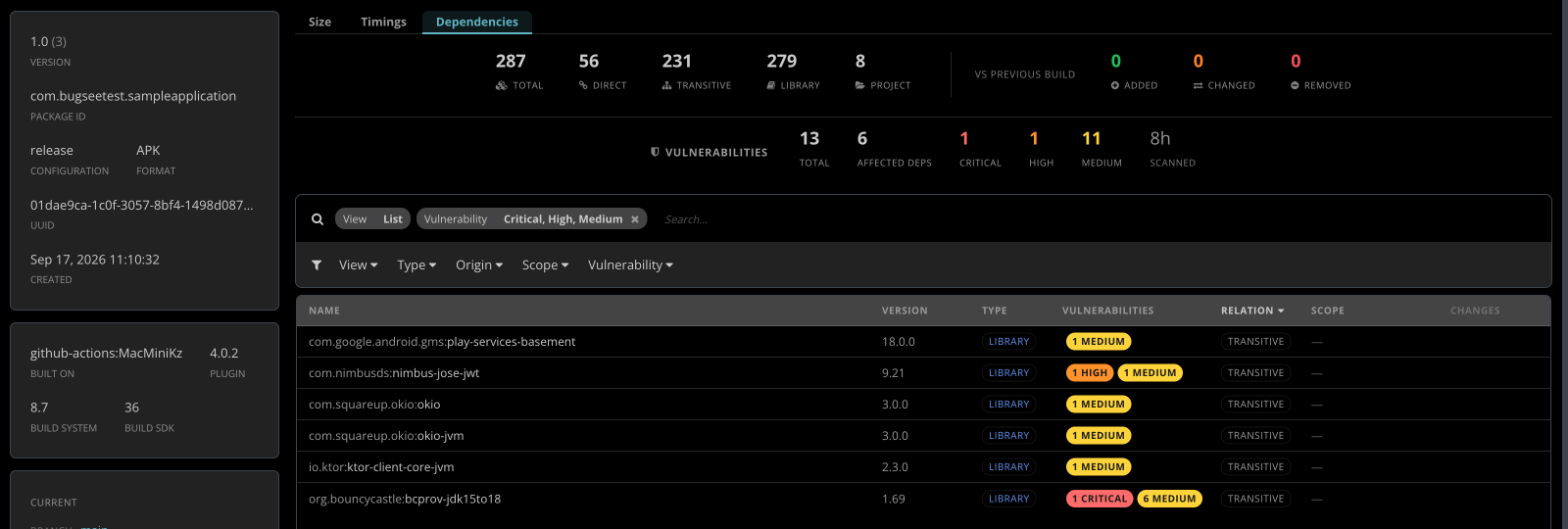
14. Can Bugsee tell me if my build is getting bloated, or slower, or riskier?
Yes, this one grew a lot since we first shipped it. It started as build size tracking, size by category and file, CI gates on regressions, and it’s since grown into build timings (it’ll tell you when a build got slower than the last one and where that time went), full dependency graph tracking (what you actually ship, transitive dependencies included, diffed against the previous build), and automated vulnerability scanning against the OSV and GitHub Advisory databases on every release build, including re-scanning old builds when a new CVE shows up later.
15. Can my app send a notification out without filing a full issue?
New as of this month, still in beta, Android first with iOS coming. Bugsee.notify() lets your app fire off a notification, title, severity, custom fields and all, to whatever messaging integrations or webhooks you’ve set up as Relay destinations on the dashboard, without it turning into a tracked issue. Nothing goes anywhere until you turn Relay on and pick where it should go.
Same close as nine years ago: if there’s something Bugsee does that you didn’t know about, or something you wish it did, email me directly. fishman@bugsee.com, or call, +1-408-508-4110. I still answer these myself.
— Alex